
A few months ago I wrote about AI becoming one of the most valuable tools in my engineering toolkit.
Since then, things have escalated slightly.
I’ve used AI almost every working day across engineering management, SOLIDWORKS, PDM, project planning, machinery safety, manufacturing information, documentation, troubleshooting and process improvement.
Some of it has worked brilliantly.
Some of it has been incredibly frustrating.
And on more than one occasion I’ve found myself arguing with ChatGPT because it has confidently done something completely different to what I asked it to do.
Strangely, those failures have probably taught me more about using AI in engineering than the successes.
They’ve also led me back to something I’ve been writing about on LeanIntoDesign for years.
Standardise the process. Make problems visible. Find the root cause. Fix the system. Then improve it again.
The technology has changed enormously.
The fundamentals really haven’t.
The Experiment Changed
Initially I was using AI like most people probably do.
Write this email.
Summarise this document.
Explain this error.
Give me an Excel formula.
Help me structure this report.
Tell me what this bit of legislation means.
All useful.
But fundamentally that’s just using a faster tool to perform individual tasks.
The question I’ve become much more interested in is:
Can AI help improve the engineering system rather than simply helping me work faster inside a bad one?
That turns out to be a much more interesting problem.
And being a Lean obsessive, it’s obviously the rabbit hole I disappeared down.
Don’t Automate the Mess
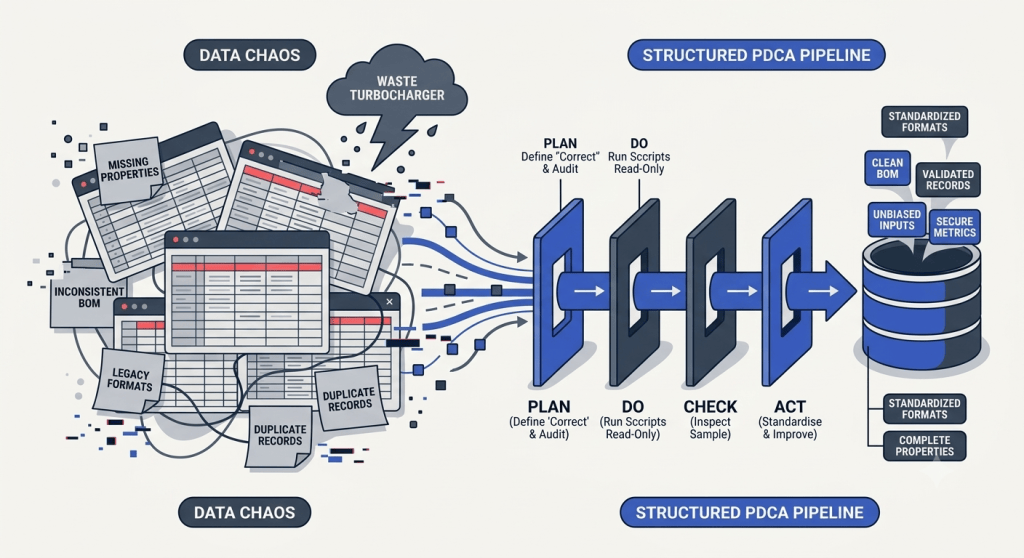
One of the biggest areas I’ve been working on is engineering data.
We use SOLIDWORKS PDM as our engineering data system of record.
Like most engineering businesses with years of drawings, models, projects and different people working in slightly different ways, there are inconsistencies.
Descriptions differ. Properties are missing. Drawings and models don’t always agree. Manufacturing outputs aren’t always where they should be. Legacy sheet formats exist. BOM information needs checking. Files occasionally end up in unexpected workflow states.
None of that is particularly unusual.
The tempting AI answer is:
“Brilliant. Let’s automate all of it.”
Which is also potentially the worst answer.
I’ve increasingly come back to a very old Lean principle:
Standardise before you automate.
Because AI can write an impressive macro remarkably quickly.
Unfortunately, it can also write an impressive macro that very efficiently does the wrong thing to thousands of engineering files.
Ask me how I know.
I Have Probably Argued With ChatGPT More Than Anyone Else in the Business
The SOLIDWORKS macro work has been a particularly good education.
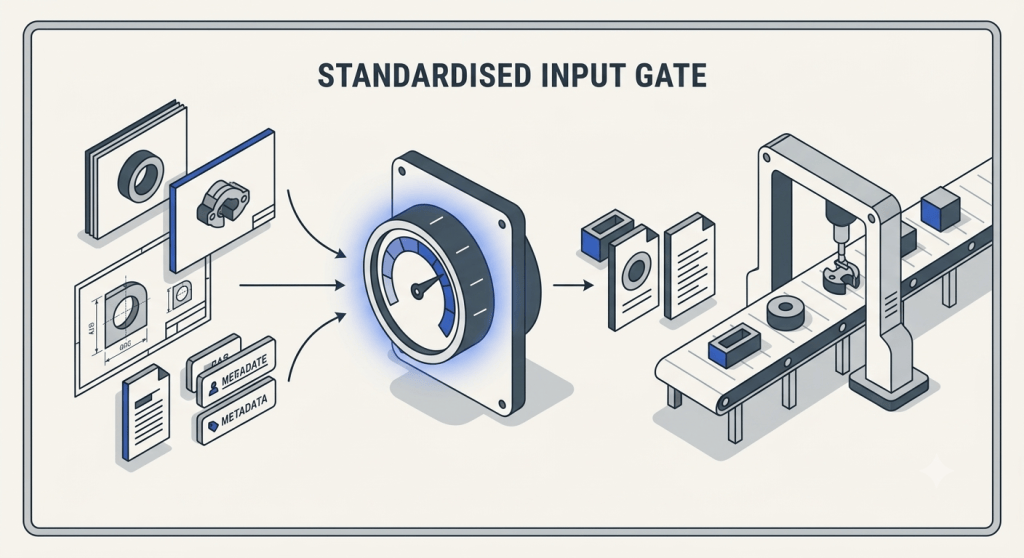
I’m not a professional software developer, but AI has allowed me to build tools that I simply wouldn’t have attempted previously.
We’ve worked on macros to audit drawing sheet formats, check filenames against part numbers, identify missing descriptions, inspect mandatory engineering properties, compare model and drawing information, find BOM inconsistencies and batch update engineering drawings.
One drawing-format audit eventually ran across roughly 2,900 drawings before we discovered another problem: not all of the required files were actually available locally.
That was useful in itself.
The tool hadn’t just found drawing problems. It had exposed another weakness in the process.
On another PDM data-cleaning exercise we identified 137 description corrections. 125 could be dealt with successfully, while 12 became exceptions requiring investigation rather than simply being forced through.
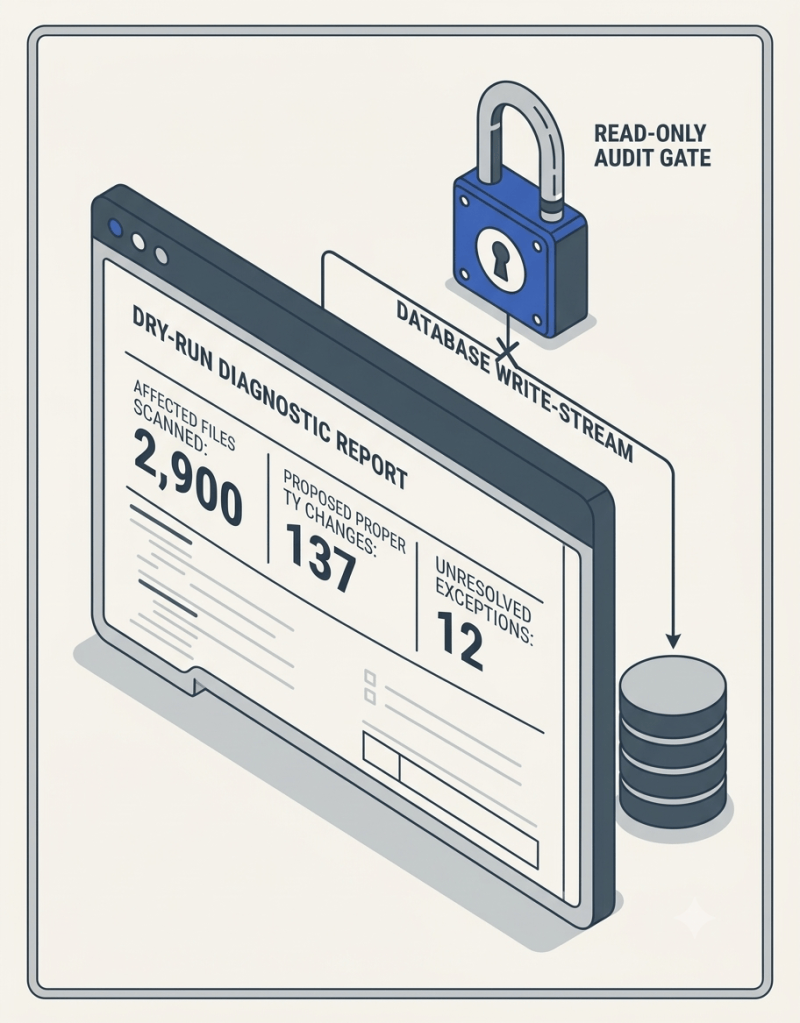
That distinction is important.
The objective isn’t to make every row in a report turn green.
It’s to know which ones should be green and why.
And Then a Macro Taught Me a Very Useful Lesson
At one point I was developing a macro to update our drawing standards.
The requirement was actually quite simple: replace the sheet-format reference on our standard A3 drawings while preserving the existing drawing content.
One version started adding borders I hadn’t asked for.
Another managed to put a new title block on top of the existing one.
Another looked as though it was successfully processing the drawings and then rolled everything back without making the required changes.
At another point a property update started changing the Process value to “Welded Assembly” where that wasn’t necessarily the correct manufacturing classification.
That last one matters more than it might sound.
Process isn’t decorative metadata in our system. Purchasing uses it to help determine how components are sourced.
A small automated engineering-data error can therefore become a purchasing error downstream.
That was probably the point where my approach to AI-generated automation changed completely.
We Accidentally Reinvented PDCA
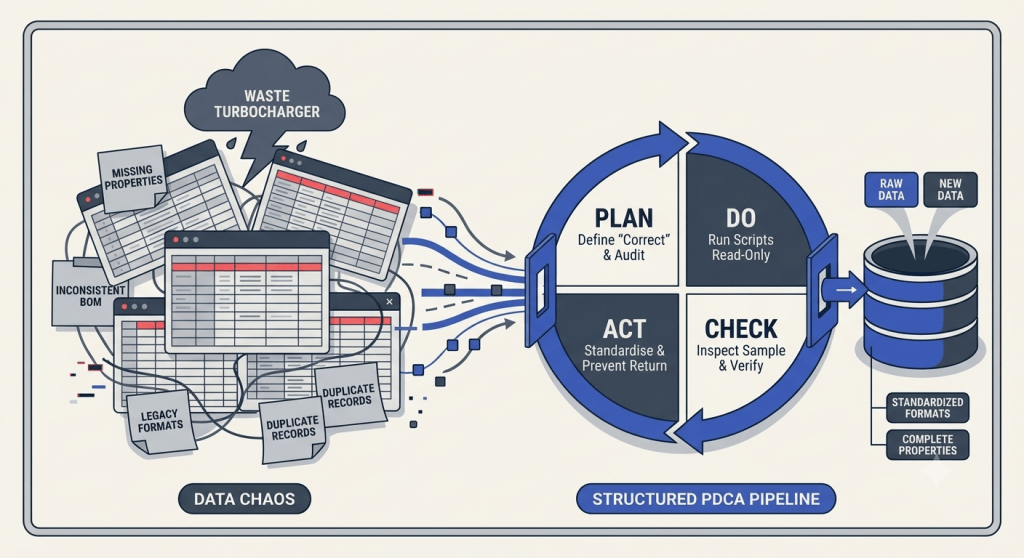
My early workflow was basically:
Explain problem → Generate code → Run code → See what happens.
Not exactly Toyota Production System material.
After a few painful lessons it became:
Define exactly what “correct” means.
Audit the current condition.
Produce a report showing what would change.
Count the affected files.
Test on a controlled sample.
Manually inspect the results.
Only then enable write mode.
Log every change, skip and exception.
Review the exceptions.
Improve the standard so the problem can’t easily return.
Plan. Do. Check. Act.
We’d reinvented PDCA because an AI-generated SOLIDWORKS macro had frightened me into becoming more disciplined.
There’s probably a Lean lesson in there somewhere.
Confidence Is Not Evidence
This has become one of my most important rules when working with AI.
Confidence is not evidence.
An AI answer can be beautifully structured, technically convincing and completely wrong.
That’s particularly dangerous for engineers because we’re naturally attracted to structured technical explanations.
I’ve learned to challenge it.
A lot.
There have been plenty of conversations along the lines of:
“No. That’s not what I asked you to do.”
“Why have you changed something that was already working?”
“Where did that number come from?”
“Show me the evidence.”
“Start again.”
That isn’t AI failing as a tool.
That’s me learning how the tool needs to be controlled.
The workflow has become:
Prompt → Result → Inspect → Challenge → Evidence → Correct → Test → Standardise.
Which looks suspiciously like the way we should approach any other engineering problem.
Troubleshooting Has Been Another Eye-Opener
Our SOLIDWORKS and PDM environment has provided no shortage of test material.
Over the last few months AI has helped me work through PDM permissions, workflow problems, PDF-generation failures, task-host configuration, eDrawings problems, Visual C++ dependencies, GDI object limits, Toolbox issues and various other things Windows and engineering software occasionally invent to make sure Engineering Managers don’t become bored.
One problem eventually came down to a missing or broken Microsoft Visual C++ runtime dependency on one CAD machine.
We had a known-good machine and a faulty machine, so rather than continuing to throw possible fixes at it, the process became comparative fault finding.
What works on the good machine?
What fails on the bad machine?
What is installed on each?
What changes when we test this?
What can we now eliminate?
Eventually eDrawings fired up.
Then PDM worked.
Problem solved.
But the useful part wasn’t that ChatGPT knew the magic answer from the beginning.
It didn’t.
The useful part was having something capable of holding the investigation together while new evidence was introduced.
That’s much closer to structured engineering fault finding than simply “asking AI”.
Then I Started Pointing It at Whole Projects
This is probably where the biggest practical value has started appearing.
A drawing on its own tells you surprisingly little.
Combine it with the quotation, customer specification, BOM, project records, risk assessment, correspondence and manufacturing information and you can start asking much better questions.
Not:
“Does this drawing look OK?”
But:
“Does what we’ve designed actually match what we’ve sold?”
That’s a far more valuable engineering question.
I’ve been using this approach on live machinery projects to review final drawings against sales requirements, investigate BOM blockers, check manufacturing readiness, trace decisions through old project records and determine what is genuinely preventing work from progressing.
On one recent blocker review, for example, we started with 64 items that appeared to have engineering issues.
After comparing the blocker list against what was actually present in PDM, 18 of those already had their listed PDM issue resolved. The remaining work could then be separated into genuine engineering outputs, procurement classification and items requiring further investigation.
That’s a much better use of an Engineering Manager’s time than treating 64 red rows as 64 equal problems.
And importantly, AI didn’t approve any of the engineering.
It helped identify where human attention was actually required.
AI Is Starting to Change How I Think About Project Management
I’ve spent a lot of time trying to improve engineering capacity and project visibility as well.
It’s very easy to create another spreadsheet.
In fact, engineering businesses are exceptionally good at creating spreadsheets.
What I actually want to know is:
Who is overloaded?
What is on the critical path?
What hasn’t been assigned?
Where is Purchasing waiting for Engineering?
Where is Manufacturing waiting for information?
What decision today prevents a late project next month?
We’ve been working across Planner, SharePoint, Dataverse, Excel and PDM trying to make the information flow rather than repeatedly recreating it.
That has reinforced another rule:
Enter information once, at the correct source, and reuse it downstream.
AI hasn’t removed the need to decide what the source of truth is.
It’s made that decision more important.
Safety Is Where the Boundary Has to Be Very Clear
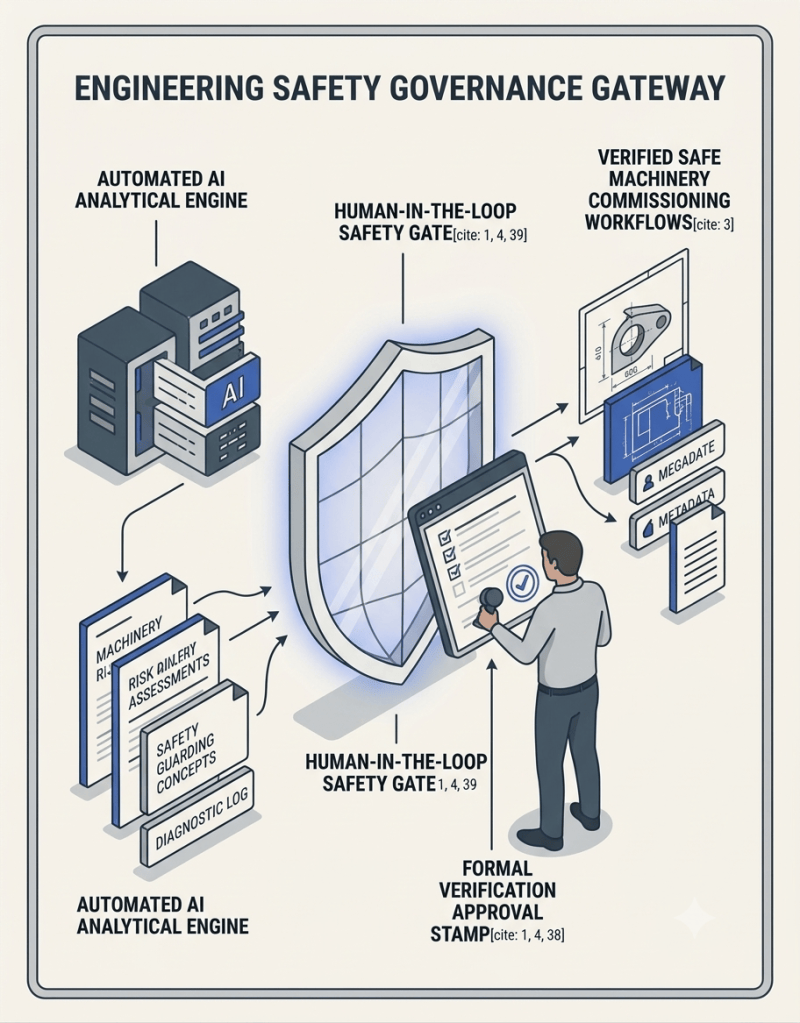
I’ve also been using AI extensively around machinery safety: design risk assessments, guarding concepts, isolation, FAT procedures, RAMS and compliance documentation.
This is one area where I’ve deliberately become more conservative as the capability has increased.
AI can help investigate a safety decision. It cannot own the safety decision.
It is extremely useful for challenging a design:
What hazards haven’t we considered?
What happens during cleaning and maintenance?
What foreseeable misuse should we consider?
Is this inherent risk reduction, safeguarding or information for use?
What evidence is required before this action can genuinely be closed?
What legislation or standard supports the decision?
But the engineering judgement, verification and formal sign-off remain with competent people.
That’s not a limitation of the technology that I’m waiting for somebody to solve.
That’s how I think the system should work.
Documentation Should Be an Output of the Process
This may ultimately be one of the largest productivity gains.
We’ve used AI to help develop FAT tests, O&M information, spare-parts information, RAMS, risk assessments, engineering reports, role profiles, audit records and evidence logs.
But I’m increasingly less interested in AI being a very fast document writer.
The better question is why somebody has to recreate all that information at the end of the project in the first place.
If requirements, decisions, risks, approvals, manufacturing information and evidence are captured properly while the project happens, much of the final documentation should become an output of the process.
Not another heroic administrative effort just before handover.
The Lean AI Rules for Engineering
After three months of fairly intensive use, these are the rules I’m currently working to.
1. Define the source of truth.
AI needs controlled information. For our engineering data, PDM remains the system of record. If the information is duplicated in five places, AI doesn’t magically know which one is right.
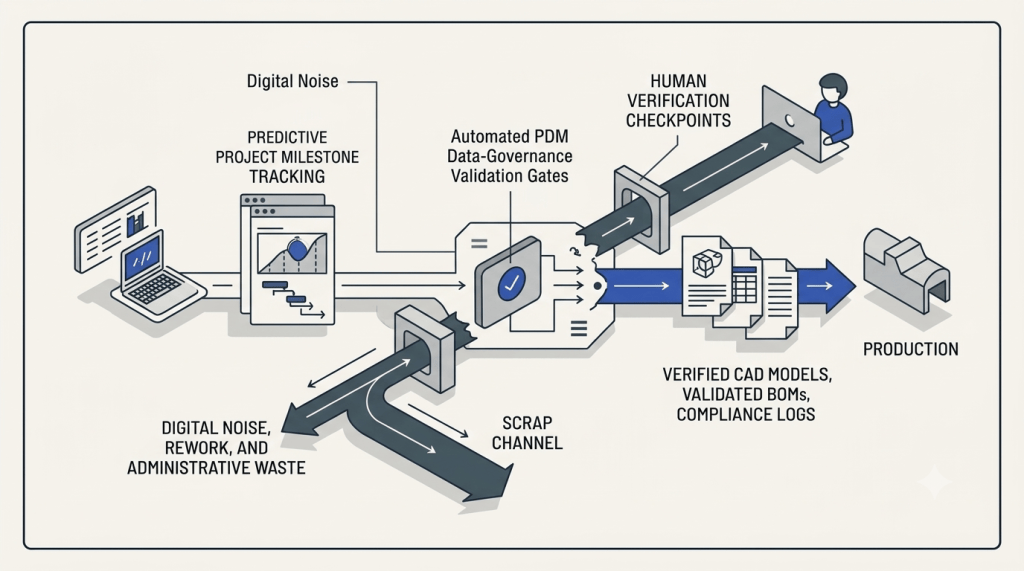
2. Standardise before automating.
Automation amplifies the process you already have. Make sure that’s a process you actually want amplified.
3. Audit before changing.
Especially when AI-generated code is touching production engineering data. Read-only first. Report second. Controlled write third.
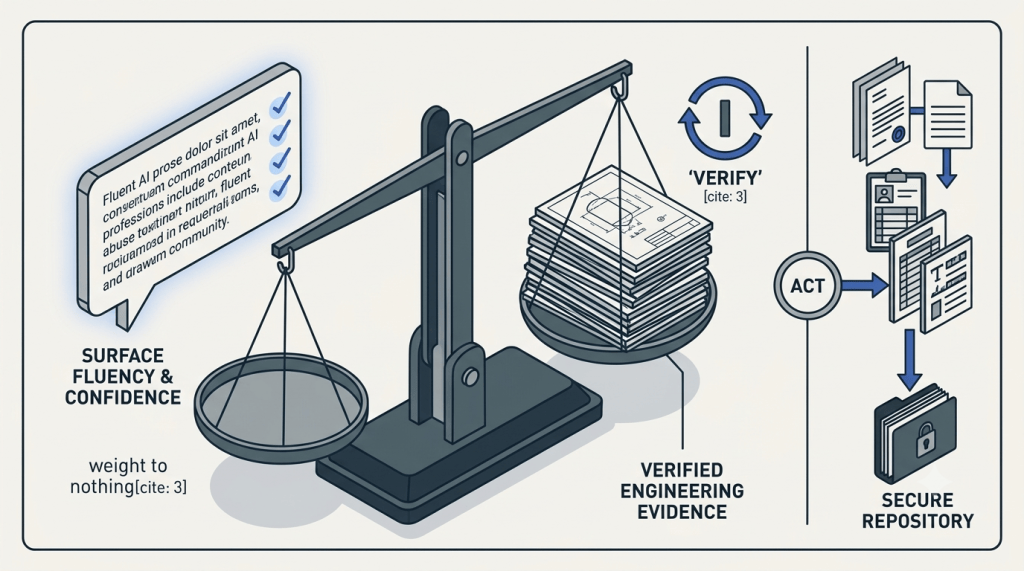
4. Confidence is not evidence.
Ask where the answer came from. Ask for the drawing, requirement, file, calculation, legislation or standard supporting it.
5. Keep humans responsible.
AI can analyse, challenge, compare and prepare. It doesn’t become the responsible engineer because it produced a convincing answer.
6. Exceptions are useful.
Don’t force every exception through the automated process. An exception is often the system telling you something important.
7. Fix the system, not just today’s error.
If AI finds a missing property, don’t stop after filling it in. Ask why it could be missing, how it could have been detected earlier and whether validation can prevent it happening again.
8. Use AI to remove administration, not accountability.
Those are very different things.
The Biggest Change Has Actually Been My Thinking
Three months ago I was mostly asking AI for answers.
Now I’m increasingly asking it to help me build systems.
I don’t particularly want AI to build another spreadsheet for me.
I want fewer spreadsheets.
I don’t want AI endlessly fixing missing engineering properties.
I want PDM configured so those properties can’t be missing in the first place.
I don’t want AI repeatedly telling me a project is late.
I want the information flow designed so we can see the constraint before it makes the project late.
I don’t want AI writing a risk assessment at the end of a project.
I want risk reduction built into the design process, with the documentation becoming evidence of the decisions we’ve already made.
And I don’t want AI correcting the same mistake every week.
I want it helping us understand why the mistake is possible and then mistake-proofing the process.
The real opportunity isn’t using AI to do more work. It’s using AI to help design better ways of working.
Ten Years Later, It’s Still Lean
This is perhaps the bit I find most interesting.
Nearly ten years ago I was writing on this site about problem solving, 5 Whys, visualising workflows, standard work and preventing problems from coming back.
In 2026 I’m talking to an artificial intelligence, giving it access to thousands of lines of engineering information and using it to help develop software and interrogate engineering systems.
Yet the rules I’m learning are basically the same.
Understand the current condition.
Define the standard.
Make abnormal conditions visible.
Find the root cause.
Don’t pass defects downstream.
Build quality into the process.
Standardise the improvement.
Repeat.
AI hasn’t made Lean obsolete.
If anything, it’s made Lean thinking more important.
Because if you give an incredibly fast, incredibly capable tool a badly designed process, you haven’t removed the waste.
You’ve given the waste a turbocharger.
So, Has It Been Worth It?
Absolutely.
But not because AI has magically automated Engineering.
Quite the opposite.
It’s exposed how important good engineering fundamentals actually are.
Controlled data.
Standard work.
Clear ownership.
Defined inputs and outputs.
Verification.
Traceability.
Root-cause problem solving.
Continuous improvement.
None of those ideas are new.
They’re Lean.
Used badly, AI gives us an extraordinarily fast way of creating more waste.
Used properly, it gives us an extraordinarily capable tool for finding, understanding and removing it.
Three months in, I’m still experimenting.
But I’m no longer particularly interested in asking whether AI belongs in engineering.
I’m trying to work out what an engineering function designed from the ground up with AI available should actually look like.
That feels like a much more interesting question.
A Slightly Recursive Footnote
There is, of course, a slightly ridiculous aspect to writing an article about three months of working with AI.
I used AI to help write it.
But not by asking it to “write me a blog post about AI”.
I asked ChatGPT to go back through the work we’d actually done together: the failed macros, PDM investigations, project reviews, risk assessments, FATs, capacity planning, troubleshooting and the occasions where I’d told it that its answer was wrong.
We used that history to reconstruct what I’d actually learned.
Then I asked it to critically review the article, identify where it was too generic, too polished or unsupported, and improve it.
Which, thinking about it, is basically the same process I’ve just spent this entire article describing.
Plan. Do. Check. Act.
Apparently even the blog isn’t safe.
Join the Conversation
I’d genuinely be interested to know where other engineers and manufacturing businesses have got to with this.
Are you still mainly using AI for emails, documents and individual tasks, or have you started integrating it into engineering and manufacturing processes?
And perhaps more importantly: what’s gone wrong?
Because I suspect that’s where we’re all going to learn the most.
#AI #Engineering #Manufacturing #Lean #ContinuousImprovement #SOLIDWORKS #PDM #EngineeringManagement #DigitalTransformation #LeanIntoDesign


Leave a comment