THis links in really well Toby my JFDI blog. Stop thinking start doing, fail small, fail fast, fail up. 🙂 Enjoy the musings of Cristian for more check out https://cristianmihai.net/author/mihaicristiandaniel/
Procrastination
Lean, Design & Manufacturing Specialist
THis links in really well Toby my JFDI blog. Stop thinking start doing, fail small, fail fast, fail up. 🙂 Enjoy the musings of Cristian for more check out https://cristianmihai.net/author/mihaicristiandaniel/

Stay with me here as I'll skip from friendly banter to a very important issue. OK, I know my blog is a pretty small community of mostly close (and from this suggestion warped) friends, so this post varies wildly from what I expected my blog to look like. Thanks for the suggestion Paula, I've made... Continue Reading →

Hi everyone. I've just seen a video on Facebook that made me smile, then almost cry. Mainly because it made me realise how bad I am at keeping in touch with people. It was posted by one of my friends from another country, Remon V Rossum or as I knew him for many years Herbie205.... Continue Reading →
I'm sorry about this title, but it grabs your attention, does it not? In this fast paced world nothing can be better than to stop pontificating and get stuff done. It doesn't have to be good, it just has to get you out of your head and into doing something, anything, stop reading this post... Continue Reading →

AnyCAD info by @Cadassist

Hi everyone, sorry I've been so quiet, I've been recovering from the 8 week training program by eating everything in sight, it's difficult to write with a burger in one hand and a pizza in the other. In a heathy, balanced diet kind of way. (Just in case Anthony Carr reads this 😉) So here's... Continue Reading →
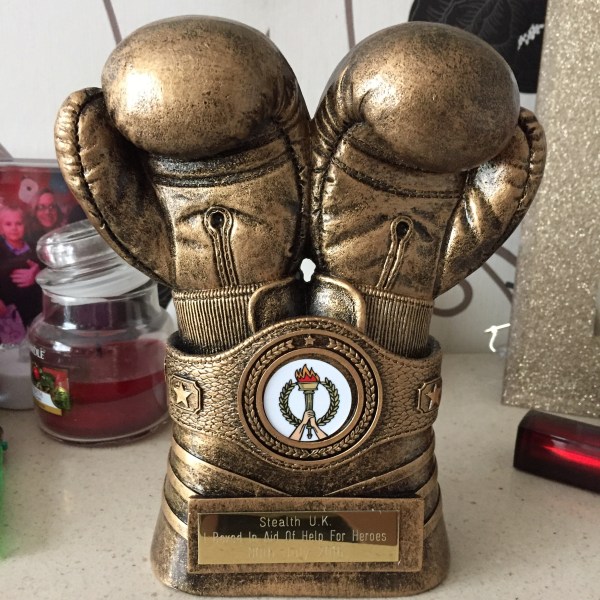
OK so if your reading this you probably gone through the last few posts that were the build up to this wonderful night. 8 weeks of training, ups, downs and ups again. I've focused on me and my experience through this, but every one of my experiences has been with one of the other 14-20... Continue Reading →

Ok so I've missed a week of writing. Don't worry it will come in droves after the fight, I've just been focusing on the doing not the documenting this week. This week has all been about the slow movements that have now been forced into my subconscious. Jab, chin down. Roll, guard up. 1, 2,... Continue Reading →
I'm trying to hit a target. 106kg, for some this may be easy, for others, like myself, may seem like a real stretch target. I work in an office where the average weight is probably 20kg less than my target. I have to hit 106kg for the boxing on the 30th of July. We completed... Continue Reading →

You guys and gals know how this goes, first I tell you about the bad, then I go on to the good. This weeks writing is no different. So here comes the bad bits. I'm taking pain killers almost every day. Not for anything major just a little muscle pain, mostly groin. This is down... Continue Reading →

