Ok not a big update but a frustrating one. I'm not technically injured I just feel like it. Prickly Heat - where your body is telling you you've not sweat much before, so I'm going to make you look ugly with an all over body rash and itch like a bugger to try to put... Continue Reading →
Hi Everyone, I'm back again, finally, with a blog post about a boxing event (not lean or design, sorry). Life got in the way, Hen-Do (for the wife), Stag-Do (for me) and finishing up with a wedding, but I'm back now. Let’s get down to business - I'm taking part in a Charity Boxing event... Continue Reading →
An introduction to Dynamo – taking Revit to the next level
Take Revit to the next level - Dynamo (software not the Magician) And here is a great webinar to expand on this subject. https://www.youtube.com/watch?v=GMo5Q2vydRI Let me know what you think
The Autodesk Applications Manager is Dead, Long Live the Autodesk Desktop App.
Re-blogged from CADblog.co.uk
Tips, tricks and updates from the experts at Cadassist
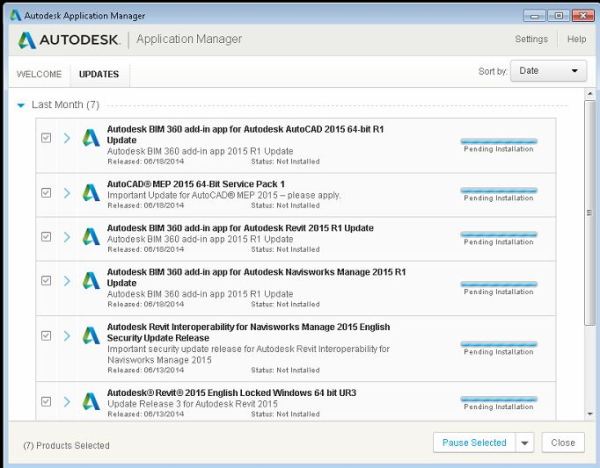
As you may know the Autodesk applications manager is a content delivery solution for all of your product updates. It sits in the bottom corner of your PC popping up every now and again with a big list of all of the updates available for your products, which is great. It kept your Autodesk software up to date with service packs, hotfixes and security updates, unfortunately it lumped everything together in one long list and could be quite frustrating if you only used Inventor from your product design suite but there were updates for all of the other software packages in the list that you had to go through to get to the ones you actually needed.
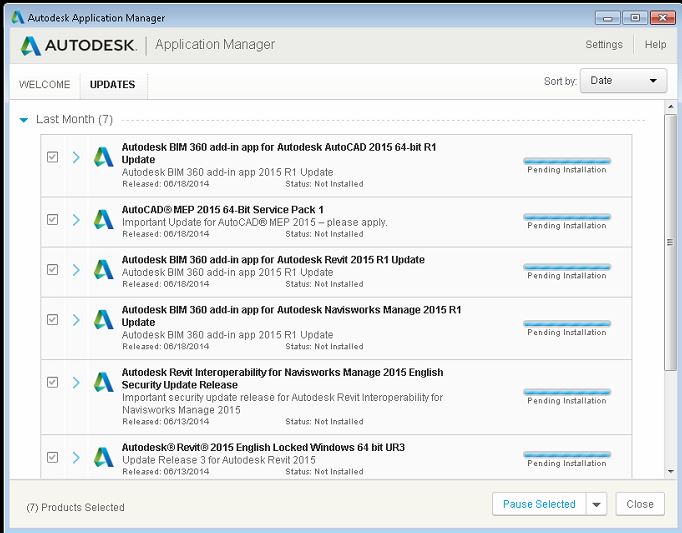
With the release of Autodesk’s 2017 (and backwards to 2015 releases) product offerings this system is being replaced with the Autodesk Desktop Application. It’s the same thing; content delivery, but different, granular updates…

View original post 335 more words
Wedding day thoughts.
I woke up this morning, looked out of the window and saw the weather. It's a rotten day outside. It's rain and sleet, the sky is gray and you know what I just don't care. Today is the day I get married to the person I fell in love with the first time I saw... Continue Reading →
Getting started with Autodesk Inventor Styles
Autodesk Inventor uses Extensible Mark-up Language (XML) files as a means of storing style information externally from Autodesk documents. Styles have been stored externally using XML since the 2012 release. This is to reduce file bloating on larger assemblies. Imagine if you will, a 10000 part assembly with a different set of styles stored in each individual part.... Continue Reading →
Visualising Workflows with Praxis
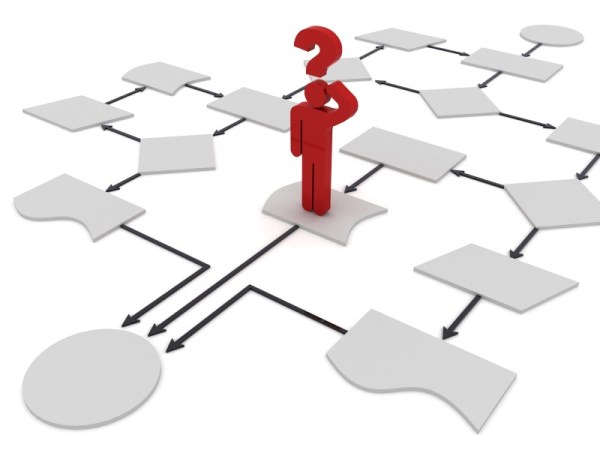
What is Praxis? First of all it’s a Medieval Latin/Greek word for convention, habit or custom, or a set of examples for practice. It’s also a new cloud based workflow visualisation tool from Autodesk. Why does Praxis matter? I have 4 kids, watching these chaos monsters do the simplest tasks is sometimes frustrating. Why... Continue Reading →
Where is the Lean?
This came up in conversation today "Your site is called leanintodesign, where is the lean?" So I thought I'd get started. In the same place most people/businesses start their lean journey, with 5S. This is quick fire so be ready to be wowed. I love 5S. Yes, I said it, I love 5S. Not doing... Continue Reading →
5 key reasons for buying a Product Design Suite over Individual Component Software
To Suite or not to Suite? That is the Question.
Tips, tricks and updates from the experts at Cadassist
Generally when you buy a suite of something you get more “Bang for your buck”.
Microsoft Word vs Microsoft Office
Inventor vs Product Design Suite
It’s clear that you get more for your money, but what are the real life advantages? Here are my top 5 reasons for buying a Product Design Suite over individual component software.
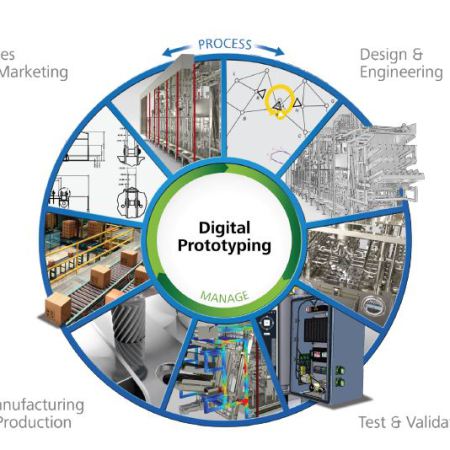
- Full Product Lifecycle – With individual software packages you generally complete one segment of a process, maybe 30% at a push; write a report in Word, calculate in Excel, present in PowerPoint, etc. The individual programs get a job done but a suite enables you to complete the whole process; from concept sketch to marketing and sales data in one set of products.

- Electrical and Mechanical integration – With Product Design Suite Ultimate you can design a harness in Inventor and create an electrical schematic in AutoCAD Electrical…
View original post 319 more words
Boxing and Business
Watching "normal" people train for a charity boxing event gives you great insight into what it takes to succeed. Budding pugilists to professional trainers, the team works. Stealth UK Boxing Promotions raises money for Help for Heroes by arranging charity boxing events. Competitors complete a rigorous 8 week training plan and then face the ultimate... Continue Reading →